
Ladiocast 1.2.0-beta.0 Released
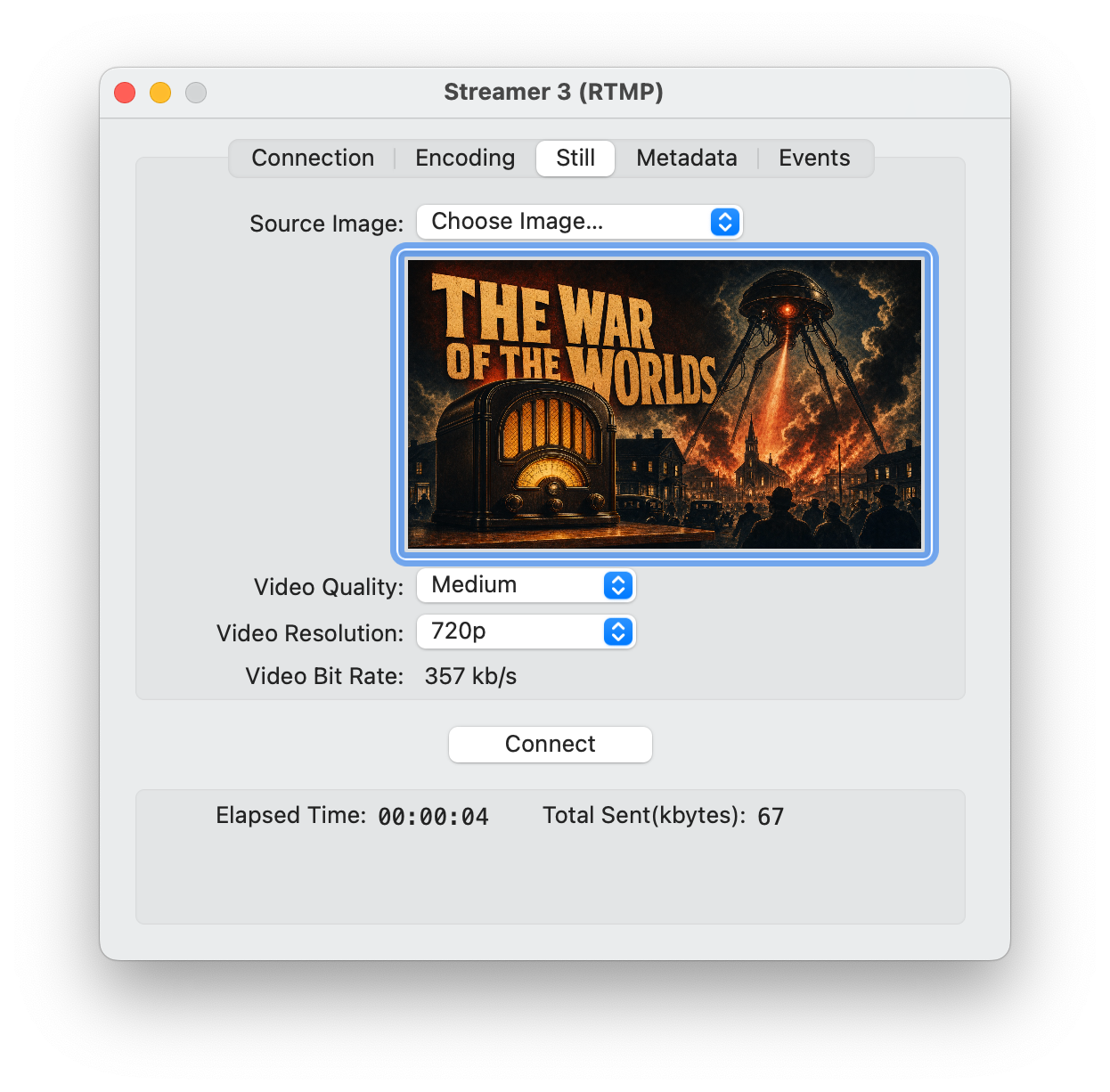
I have released Ladiocast 1.2.0-beta.0, and its test has started on App Store TestFlight. If you would like to take part in the test, please proceed from https://ladiocast-docs.kawauso.com/testing
Changes from version 1.1.1 to 1.2.0-beta.0 are as follows:
- RTMP Streamer can now send a still image as H.264 video along with the audio. Choose the image, video quality and resolution (720p or 1080p) in the new Still tab.
This is for services that need a video track, such as YouTube. Choose Streamer > Streamer 1 > RTMP, open the Still tab, and choose an image with Source Image > Choose Image… or drag an image file from Finder. Video Bit Rate shows what the video adds to the audio. The image cannot be changed while connected, and Source Image > None goes back to audio only. A configuration file saved with File > Save As includes the image. Among streaming services, I have seen the picture only on YouTube, on an Intel Mac and an M1 Mac. Please tell me how it works on other services, such as Twitch and TwitCasting, on your own server, on macOS 13 and macOS 14, over a long session and on a poor network. The behavior when the connection stalls for long is the least tested part.
When reporting a problem, please include your macOS version, Mac model (Intel or Apple silicon), the language the app is shown in, the audio devices you used, the streaming service or server software, the encoding format, sample rate and bit rate, the Video Quality, Video Resolution and Video Bit Rate, and any message shown by the app. How to report crashes, bugs and requests: https://ladiocast-docs.kawauso.com/feedback
Thank you for your help.